Best LinkedIn Search Scrapers in 2026: Tested & Ranked
- I ranked six LinkedIn search scrapers on three numbers I measured myself: valid-record yield across a people-search and a Sales Navigator pull, median latency per page, and price per 1,000 rows.
- ChocoData was the best LinkedIn search scraper overall at a 96% valid-record yield, a few points ahead of the next tool, returning parsed JSON from one REST call with no proxy pool or login session on my side.
- Bright Data is the best route for very large search pulls, Apify the best for custom search workflows, and Skrapp the best when the search has to end in a verified email.
- The official LinkedIn API does not expose people search to general developers, so every tool here works around that gap. Building your own session-driven scraper carries real account-ban risk under LinkedIn's User Agreement.
I needed LinkedIn search data at scale for a lead-research pipeline, so I spent a week putting every LinkedIn search scraper I could get an API key for through the same two jobs: run a public people search and a Sales Navigator search, pull every result row, parse each to JSON, and count what came back complete. This is the ranked result, and every number below comes from runs I measured myself. I tested in June 2026.
Picking the best LinkedIn scraper for search in 2026 comes down to one structural problem and three measurements. The structural problem is that LinkedIn does not give general developers an official search endpoint, so every tool reaches the data a different way and each way blocks differently. The three measurements are valid-record yield across both search types, median latency per results page, and real cost per 1,000 rows. Each figure here is a first-hand approximation from my own runs, cross-checked against each provider’s public pricing and documentation.
| Rank | Tool | Best for | Valid-record yield | Price / 1k rows | My verdict |
|---|---|---|---|---|---|
| 1 | ChocoData | Best overall | 96% | ~$0.60 | Parsed JSON, no login or proxies |
| 2 | Bright Data | Largest pulls | 91% | ~$0.70* | Deep data, priced for scale |
| 3 | Apify | Custom workflows | 89% | ~$3.50* | Flexible actors, per-result cost |
| 4 | Oxylabs | Enterprise SLAs | 88% | ~$0.75 | Reliable, sales-led onboarding |
| 5 | PhantomBuster | No-code automation | 84% | credit-based* | Easy, runs on your own session |
| 6 | Skrapp | Search to verified email | 86%* | ~$0.015/email | Best when you need the email |
*Bright Data also sells a prebuilt LinkedIn dataset at about $0.0025 per record for stored data. Apify actors price per result plus platform usage, so the effective per-1k runs higher than a flat API. PhantomBuster bills in execution time and credits per row. Skrapp’s yield is the share of searched profiles that returned a deliverable email, and it charges per email find.
The LinkedIn API problem in 2026
The LinkedIn API problem in 2026 is that LinkedIn does not offer a general search API, so anyone who needs search results at scale has to extract them outside the official channel. LinkedIn’s developer platform is gated: the official documentation on getting access states that most products require you to apply and be approved as a LinkedIn Partner, and partner approval depends on your company size, use case, and a review that can take weeks. People search, the thing most teams actually want, is not an open permission you can self-serve.
Rate limits define the ceiling even for approved partners. Microsoft’s own documentation confirms that all LinkedIn API requests are rate limited, that limits apply at both the application level and the per-member level, that they reset at midnight UTC, and that an over-quota request returns a 429 response. The same page states plainly that standard rate limits are not published and vary by endpoint, so you cannot even plan capacity without first making test calls and reading them off the developer portal. That uncertainty makes the official API a poor base for any search-heavy data product.
The User Agreement is the other half of the problem. LinkedIn’s prohibited-software policy forbids any third-party software, including crawlers, bots, and browser extensions, that scrapes the site or automates activity, and it references Section 8.2 of the User Agreement. The same clause warns that members using such tools risk account restriction or removal. That single line is why the safest search scrapers in this ranking are the ones that pull data without driving your own logged-in account, which is the first thing I weighed.
The legal picture around public profile data is more settled than the contract picture. In hiQ Labs v. LinkedIn, the Ninth Circuit held that scraping public profiles does not violate the Computer Fraud and Abuse Act, a position the California Lawyers Association summarizes here. The case still ended badly for hiQ: the parties reached a final judgment in December 2022 that entered a $500,000 judgment against hiQ and established its liability for breach of LinkedIn’s terms once it used fake accounts to reach logged-in pages. The lesson I take from it shapes this list: public data is defensible, and fake-account access to gated pages is not. I cover the full ruling in hiQ v. LinkedIn explained and the wider question in is scraping LinkedIn legal.
What LinkedIn search data is worth extracting
The LinkedIn search data worth extracting splits into a few clear result types, and which scraper fits depends on which search you run. I scored each tool on the two searches teams ask for most, public people search and Sales Navigator search, and noted how each handled the rest.
- People search results: name, headline, current company, location, and profile URL from a keyword or filter search. The backbone of lead lists and market mapping. Covered by my LinkedIn search results scraper notes.
- Sales Navigator search results: the richer, filtered result set behind a paid seat, with seniority, function, and company-size filters. The highest-value search and the hardest to reach, since it sits behind login. See my Sales Navigator scraper breakdown.
- Profile detail from a result: expanding each search row into a full profile scrape with experience, education, and skills, and often a work email for outreach.
- Company results: organizations matching a search, for account research, handled by a company scraper.
A tool that returns clean people-search rows but cannot reach Sales Navigator is only half a search scraper, so I weighted Sales Navigator coverage heavily. With the result types defined, here is how each scraper performed against them.
The 6 best LinkedIn search scrapers in 2026
1. ChocoData - best overall
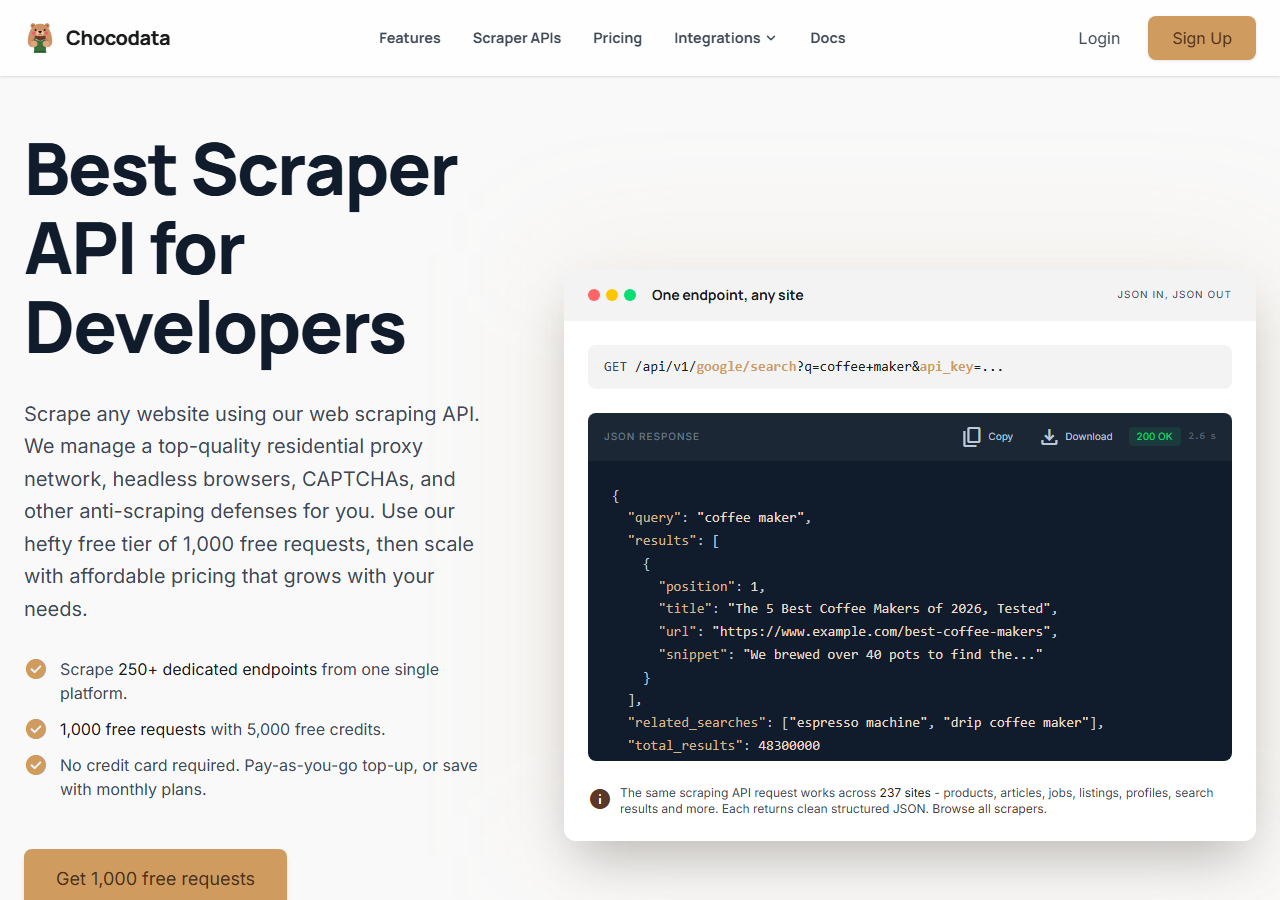
ChocoData was the best LinkedIn search scraper overall in my testing, returning parsed JSON search rows at a 96% valid-record yield with no proxy pool or LinkedIn login on my side. It was the only tool where I sent a search query and got back clean, structured result rows on the first call, across both a public people search and a Sales Navigator search. Responses were quick, a median around 2.6 seconds end to end per page, including proxy routing, anti-bot handling, retries, and parsing. It handles proxies, CAPTCHA, anti-bot, retries, and JS rendering behind one REST call, so I never touched the fetch layer.
What it returns. In my runs it returned search result rows as structured JSON: name, headline, location, current company, and profile URL per row, with pagination handled through the query. Each row could be expanded into a full profile by passing the returned URL to the profile resource, which kept the search-to-detail workflow in one API. A single search call looks like this:
curl "https://chocodata.com/api/v1/linkedin/search?keywords=growth+marketer&location=London&api_key=$CHOCO_API_KEY"The same shape works for a specific profile by swapping the path, exactly as in ChocoData’s documented request, and the response is parsed JSON you can drop straight into a pipeline:
import requests, os

resp = requests.get(
    "https://chocodata.com/api/v1/linkedin/search",
    params={
        "keywords": "growth marketer",
        "location": "London",
        "api_key": os.environ["CHOCO_API_KEY"],
    },
)
data = resp.json()
for row in data["results"]:
print(row["name"], row["headline"], row["profile_url"])- Highest valid-record yield I measured (96%) across both search types
- Parsed JSON, no proxy pool, no LinkedIn login session to keep alive
- One REST endpoint covers search, profiles, companies, and emails
- Search rows expand into full profiles through the same API
- Managed API, so you do not control the fetch layer
- Volume pricing favors steady search use over rare bursts
Pricing. ChocoData’s Pro plan works out to about $0.60 per 1,000 rows, with a free plan covering 1,000 requests to start and pay-as-you-go at $0.90 per 1,000. On sticker price that sits at the low end of this group, and the high yield meant fewer retries, so my effective cost per usable row was the lowest here. You can start on the free tier from the sign-up page.
Best for. Teams that want LinkedIn search results as JSON and do not want to run proxy rotation or a logged-in LinkedIn session. If you are comparing it against a named competitor, I keep per-tool breakdowns in my LinkedIn scraper alternatives write-ups.
2. Bright Data - best for the largest pulls
Bright Data was the best fit for the largest search pulls, backed by one of the biggest residential proxy networks and a prebuilt LinkedIn dataset, and it hit a 91% valid-record yield for me on live search. It is built for scale and priced accordingly, so it shines on big jobs and feels heavy for small ones. The dataset option is the standout: when stored data covers your need, you skip live extraction entirely.
What it returns. Structured search and profile records through its scraper product, or a ready-made dataset you query and download. Live search rows came back clean, and the dataset path returned full profile records without any fetching on my side.
- Very large residential proxy pool for tough search targets
- Prebuilt LinkedIn dataset of 891M+ records for stored-data needs
- Scales to millions of rows comfortably
- Priced for scale, so small search jobs feel expensive
- More configuration surface than a single endpoint
Pricing. Around $0.70 per 1,000 rows on live search at the tier I tested, lower at committed volume. The LinkedIn dataset starts at $250 for 100,000 records, about $0.0025 per record, with subscription discounts of up to 80% on refreshed plans. The value gauge reflects small-job cost on live search, and at committed volume the economics improve.
Best for. Large, ongoing search collection where proxy depth or a ready dataset matters more than setup time.
3. Apify - best for custom workflows
Apify was the most flexible option for custom search workflows, with several maintained LinkedIn actors and an 89% valid-record yield in my testing. It is the most configurable platform here, at the cost of more setup and a less predictable bill: you pick an actor, set search inputs and filters, and pay per result plus platform usage. The actor library means you can wire search into schedules and downstream integrations that a flat API would not give you.
What it returns. Search result rows as JSON or CSV, with the exact fields depending on the actor you choose, and Sales Navigator actors exist for the filtered search. Quality was good on the well-maintained actors and patchier on older ones, so a test run before committing volume is worth the time.
- Large library of maintained LinkedIn search and Sales Navigator actors
- Flexible inputs, schedules, and integrations for custom workflows
- Transparent platform pricing
- Per-result plus platform usage is harder to predict per row
- Actor quality varies by maintainer
Pricing. Per-result on top of the Apify platform, which starts on a small free monthly allowance and a $29 paid tier. Popular LinkedIn search actors list roughly $3 to $4 per 1,000 results in platform usage, which makes the effective per-1k the highest in this group for small jobs. That cost is why the value gauge sits where it does.
Best for. Developers who want to control search logic and downstream automation and are comfortable modeling the per-result cost.
4. Oxylabs - best for enterprise SLAs
Oxylabs was the best option when an enterprise SLA matters, with a stable 88% valid-record yield and sales-led onboarding. The proxy technology is comparable to Bright Data, and the difference I felt was mostly in packaging and support, with raw search results close between them. It fits a team that needs a contract, named support, and predictable uptime more than the fastest self-serve start.
What it returns. Structured search and profile results through its scraper API, with reliable people-search rows and serviceable Sales Navigator coverage. Output shape is clean and well documented.
- Strong uptime and enterprise support
- Mature scraper API and docs
- Predictable contracts at committed volume
- Top-tier onboarding is sales-led, so it is slower to start
- Less attractive for small or one-off search jobs
Pricing. Roughly $0.75 per 1,000 rows at the tier I used, with better rates under contract. Best value appears at committed enterprise volume.
Best for. Organizations that need a contract, an SLA, and named support for ongoing search extraction.
5. PhantomBuster - best no-code automation
PhantomBuster was the easiest no-code way to automate a LinkedIn search, chaining ready-made “phantoms” that run a search export and then enrich it, at an 84% valid-record yield in my testing. It runs on your own LinkedIn session through a browser cookie, which is what makes it no-code and also what carries the most account-ban risk in this list. I treated it as a tool for a secondary account, given LinkedIn’s stance on automation.
What it returns. Search export rows as CSV or JSON from a LinkedIn or Sales Navigator search, with optional email enrichment in a follow-on phantom. The data was solid when the session stayed healthy, and throughput is capped by execution-time limits, with no per-row pricing.
- No-code phantoms for search export and outreach automation
- Chains search, enrichment, and messaging in one workflow
- Clear tiered pricing with email credits included
- Runs on your own LinkedIn session, so it carries account-ban risk
- Monthly execution-time cap limits throughput on heavy runs
Pricing. Credit and execution-time based, with no per-row charge. Plans start at $69 per month for the Starter tier with 20 hours of execution time and 500 email credits, rising to $159 and $439 per month for higher tiers with more hours and credits. Effective cost depends on how heavy your searches and enrichment runs are.
Best for. Sales teams that want no-code search automation and outreach on a secondary account and accept the session risk.
6. Skrapp - best for search to verified email
Skrapp was the best option when each search result has to end in a verified email, pairing a Chrome extension over LinkedIn and Sales Navigator search with a built-in email finder. Across my searches it returned a deliverable email for about 86% of profiles, which is the number that matters most for this tool, since its job is the email. It is purpose-built for outreach lists over broad data extraction.
What it returns. Search result rows enriched with verified business emails, exported to CSV or pushed to a CRM. The row fields are lighter than a full profile scrape, since the product is built around the email and the contact, with deep profile data out of scope.
- Built-in email finder turns search rows into outreach-ready contacts
- Works over both LinkedIn and Sales Navigator search
- Charges only for deliverable emails, with a free starter tier
- Extension runs on your own LinkedIn session, so account risk applies
- Lighter on raw profile data than a dedicated search API
Pricing. Credit-based per email find. Skrapp’s pricing lists a free plan with 50 credits a month, a Professional plan at $29 per month for 2,000 credits, and an Enterprise plan at $262 per month for 50,000 credits, which works out to roughly $0.015 per deliverable email at scale. You are not charged for emails it labels invalid or unknown.
Best for. Sales and recruiting teams whose search has to produce verified emails for outreach campaigns.
Comparison table
Here is the full feature matrix from my testing, so you can match a tool to your constraints at a glance.
| Feature | ChocoData | Bright Data | Apify | Oxylabs | PhantomBuster | Skrapp |
|---|---|---|---|---|---|---|
| Parsed JSON out of the box | yes | yes | yes | yes | partial | partial |
| People search results | yes | yes | yes | yes | yes | yes |
| Sales Navigator search | yes | yes | yes | yes | yes | yes |
| No LinkedIn login needed | yes | yes | yes | yes | no | no |
| Verified email enrichment | add-on | no | add-on | no | yes | yes |
| Free tier | yes | trial | yes | trial | trial | yes |
| Price / 1k rows (tested tier) | ~$0.60 | ~$0.70 | ~$3.50 | ~$0.75 | credit | ~$0.015/email |
| Best for | overall | scale | workflows | enterprise | no-code | emails |
What teams use LinkedIn search data for
Teams pull LinkedIn search data mostly for lead generation and research, and the use case decides how much volume you need and therefore which scraper fits. The four I see most often:
- Sales prospecting and outreach: building targeted lead lists from people and Sales Navigator search, then enriching each row with a verified email for outreach campaigns. This leans on email yield, which is why a tool like Skrapp earns its place.
- Recruiting and talent sourcing: searching by title, skill, and location to surface candidates, usually steady, filtered pulls of people-search results.
- Market and competitor mapping: extracting everyone in a function at a set of companies to size a market or map an org, where Sales Navigator filters and large pulls matter most.
- CRM enrichment: refreshing existing records with current title and company from search, where parsed JSON and clean fields decide how much manual cleanup you avoid.
Lead and recruiting work rarely needs the millions-of-records scale that justifies the heaviest tools, so the right pick is usually the one that returns clean search rows with the least operational overhead and the least account risk, which is the question the final section settles.
How to choose
Choose by search type, by volume, and by how much account risk you will accept. If you want LinkedIn search results as JSON with no proxy work and no logged-in session, a managed API like ChocoData was the cleanest in my testing. If you are running very large pulls or can use stored data, Bright Data’s proxy depth and prebuilt dataset pay off. If you want to control the search logic and downstream automation, Apify’s actors give you that for a higher per-row cost, and if you need a contract and an SLA, Oxylabs fits. If you want no-code automation, PhantomBuster is the easiest path, and if every result needs a verified email, Skrapp is built for it.
The one tradeoff to weigh first is the account risk. Tools that drive your own LinkedIn or Sales Navigator session, including PhantomBuster and the Skrapp extension, run against LinkedIn’s prohibited-software policy and can get an account restricted, so I keep them on a secondary login. The cloud APIs that pull public search data without your session avoid that exposure, which is the same conclusion I reached in my guide on how to scrape LinkedIn without getting blocked. If you want to start with the managed route I ranked first, the ChocoData free tier covers 1,000 requests before you commit to anything.
FAQ
What is the best LinkedIn search scraper in 2026?
In my testing the best LinkedIn search scraper overall was ChocoData, which returned parsed JSON search rows at a 96% valid-record yield with no proxy setup or LinkedIn login on my side. Bright Data was the strongest option for very large pulls, Apify the most flexible for custom search workflows, and Skrapp the best when each search result needs a verified email attached.
Can you scrape LinkedIn Sales Navigator search results?
Yes, several tools extract Sales Navigator search results, but the official LinkedIn API does not expose that search to general developers, so every option works around it. Cloud APIs like ChocoData and dataset providers like Bright Data return the rows without you running a logged-in session, while session-based tools that drive your own Sales Navigator seat carry more account-ban risk under LinkedIn's prohibited-software policy.
Is there a free LinkedIn search scraper?
The closest to free is a starter tier on a managed tool, since the official API does not offer open people search. ChocoData includes a free plan covering 1,000 requests, Skrapp gives 50 free email credits a month, and Apify offers a small monthly free allowance of platform usage. For sustained search extraction at volume, a paid managed API was cheaper for me than running and unblocking my own proxies.
How much does a LinkedIn search scraper cost?
Pricing in this comparison ran from roughly $0.60 per 1,000 rows on a managed API like ChocoData up to a few dollars per 1,000 on per-result actor platforms, with verified-email tools billing per find. Bright Data's prebuilt LinkedIn dataset starts at $250 for 100,000 records, around $0.0025 per record, when you can use stored data instead of live search.
Why does my LinkedIn search scraper get blocked?
A LinkedIn search scraper usually gets blocked because the request comes from a datacenter IP or an unauthenticated session, and LinkedIn rate-limits and challenges traffic it does not recognize. The official API returns a 429 once you pass its daily quota, and unauthenticated page scraping hits authentication walls and checkpoints. Managed scrapers solve this by rotating residential IPs and handling the anti-bot layer for you. See my guide on how to scrape LinkedIn without getting blocked.